File message template
"Attached is the protected PDF. I will send the password separately."
Secure PDF export on iPhone
Use this guide to apply stronger PDF protection and avoid risky sharing habits when sending sensitive files.
"Attached is the protected PDF. I will send the password separately."
"Password for the file sent earlier: [passphrase]. Please confirm access."
Use a unique password per sensitive file set and rotate regularly.
Use longer passphrases with mixed characters and no personal patterns.
Always split channels (for example email for file, call/text for password).
Ask for confirmation that intended recipient accessed the correct file.
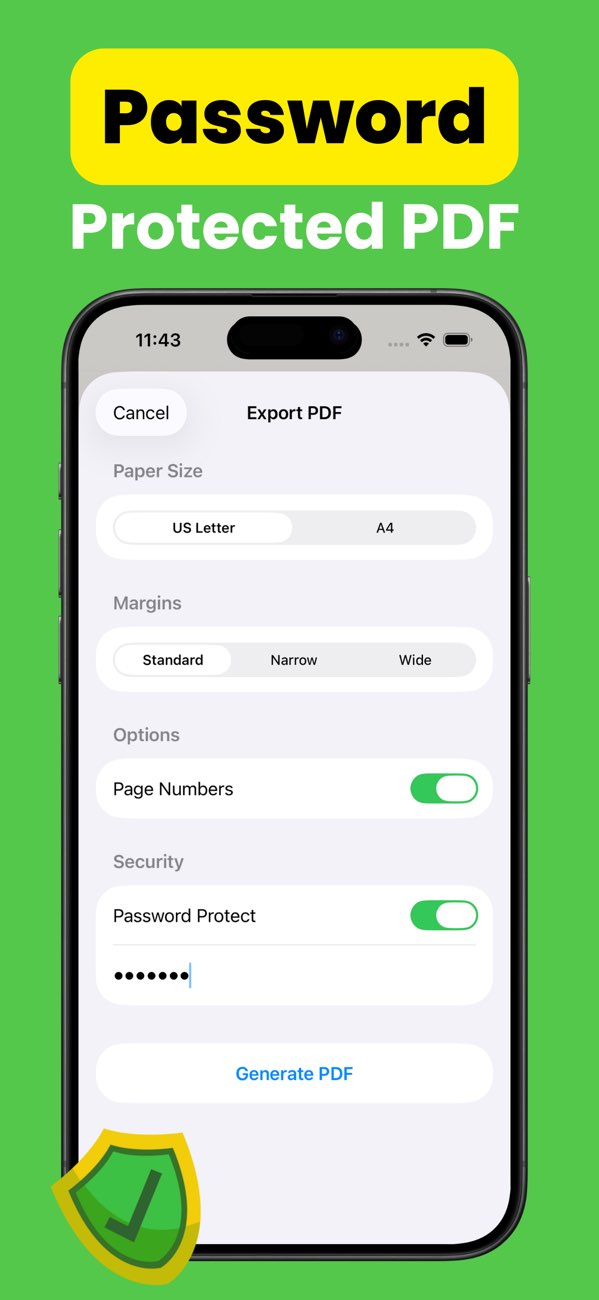
In toPDF export settings, enable password protection, set a strong password, and export the file.
Use it for contracts, financial records, personal IDs, and other sensitive content.
Send the password via a separate channel from the PDF itself.
Install toPDF and protect sensitive PDF files before sharing from iPhone or iPad.