It shows movement, not just a static target
A strobe display helps you see whether pitch is drifting sharp or flat in real time while the tuning pin settles.
Buying-decision guide
The best strobe piano tuner app for acoustic piano work does more than animate pitch movement. It needs stable note lock, readable cents feedback, piano-specific stretch workflow, and saved session records that still help on the next visit.
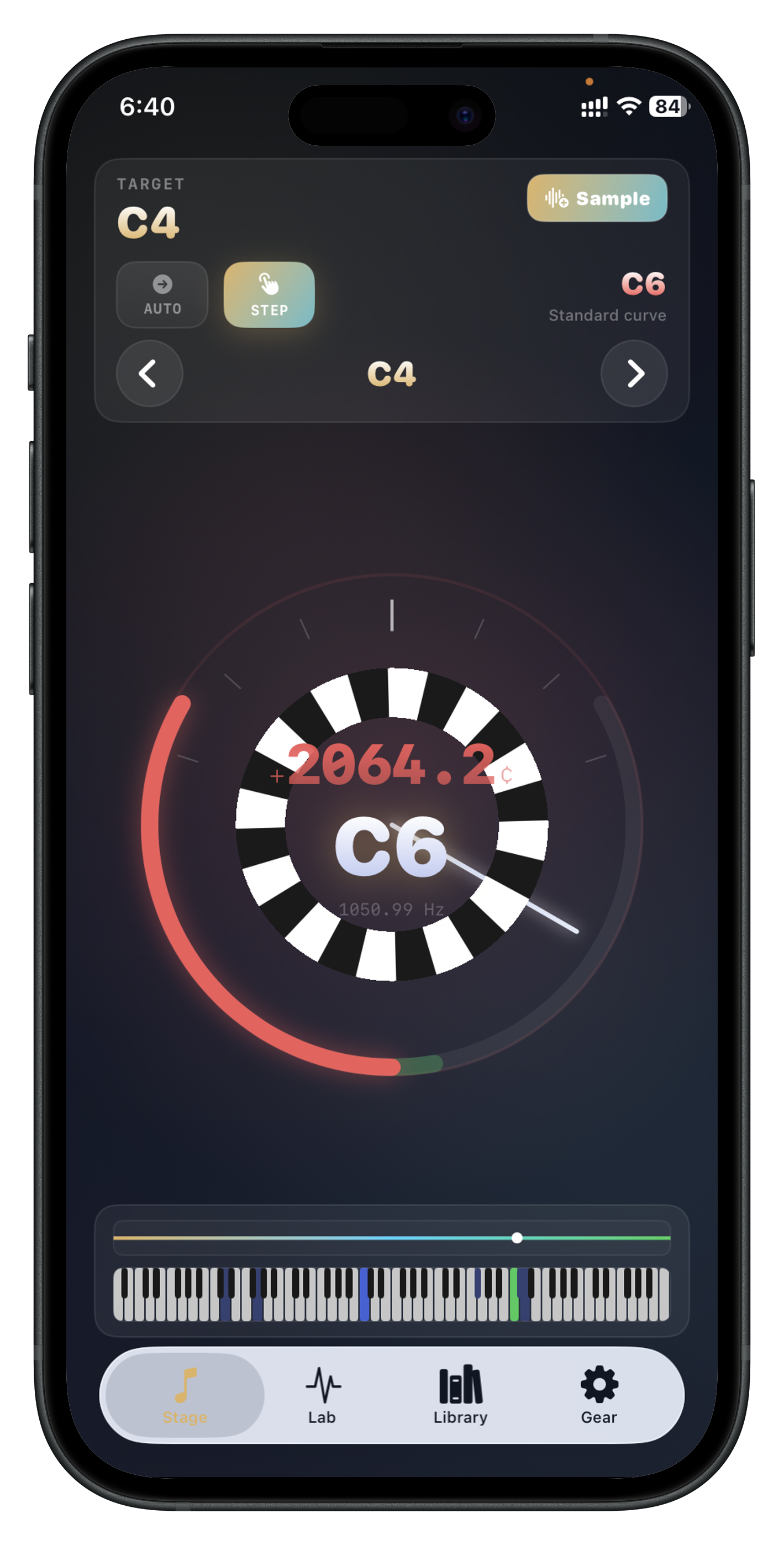
A strobe display helps you see whether pitch is drifting sharp or flat in real time while the tuning pin settles.
When the motion slows and centers predictably, it is easier to make controlled micro-adjustments than with a simple needle alone.
Acoustic piano tuning still needs stretch context, inharmonicity awareness, and saved instrument data. Strobe animation by itself is not enough.
For acoustic piano work, it can be more useful because it shows live movement more clearly, but only if the app also supports piano-specific workflow.
Yes, if it provides stable live feedback, stretch-aware analysis, and saved session records instead of acting like a basic instrument tuner.
Choosing based on animation alone instead of checking note stability, cents control, stretch workflow, and repeat-visit documentation.
Install Piano Tuner : Tempera if you want live strobe guidance, stretch sampling, and saved piano records in one iPhone and iPad app.