More room for live feedback
A larger screen can make strobe motion, cents movement, and note status easier to read without leaning back toward the device.
Device comparison guide
The best piano tuner app for iPad should use the larger screen to make live pitch movement, cents control, stretch context, and piano records easier to manage during acoustic piano service work.
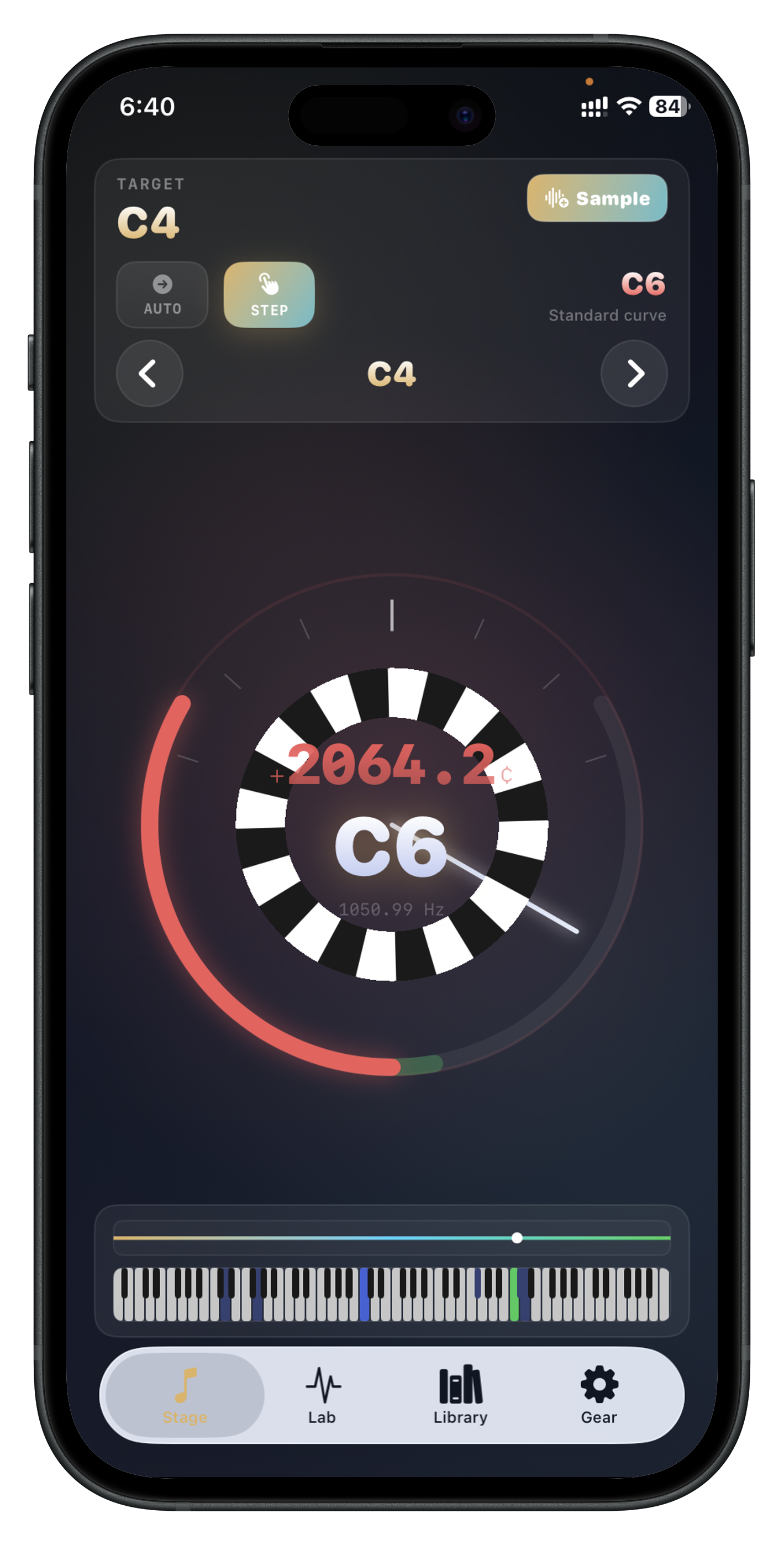
A larger screen can make strobe motion, cents movement, and note status easier to read without leaning back toward the device.
Stretch and inharmonicity screens are easier to inspect when graphs and values have more space.
When piano records, notes, and exports are part of the workflow, the extra space helps the app feel more like a field tool than a quick tuner.
It can be, especially if you want more screen space for live tuning feedback, graphs, and saved records. The workflow still matters more than device size alone.
Yes, if the app is built for piano-specific workflow with stretch support, analysis tools, and session storage.
This page is for piano technicians and serious tuners comparing iPad-friendly workflow before they install a tuning app.
Install Piano Tuner : Tempera if you want live tuning feedback, stretch-aware analysis, saved piano records, and report export in one iPad-friendly workflow.